
AI content and media
Draft post copy and create image or video assets without leaving the composer.
Draft post copy and generate images or video without leaving EveryFeed. Everything lands as editable draft material — nothing schedules or publishes on its own.
Write with AI
In the composer, click Write with AI to open the writing studio.
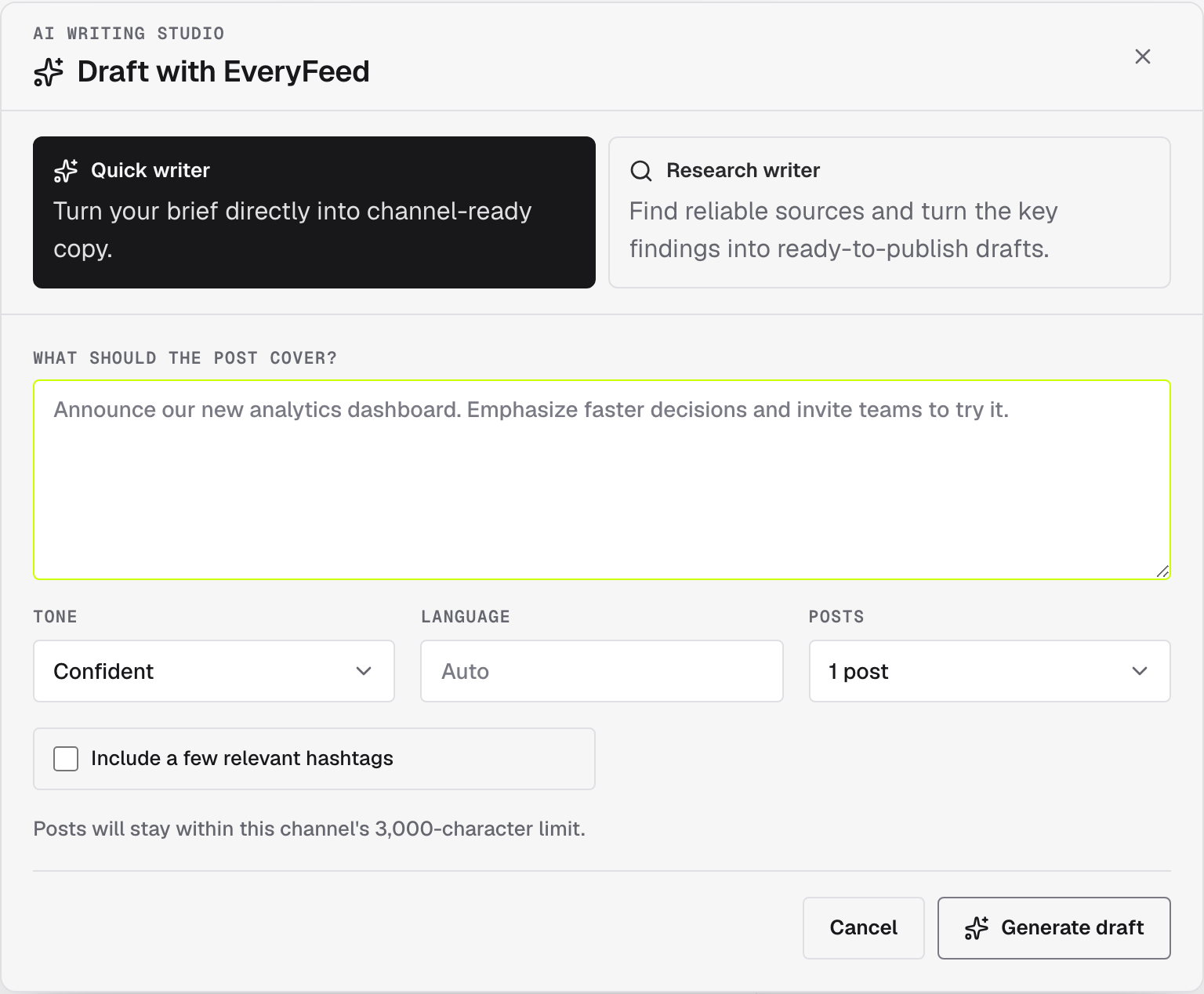
Pick a mode:
- Quick writer — turns your brief directly into channel-ready copy.
- Research writer — finds reliable sources first, drafts from the key findings, and lists the Sources used so you can check them.
Then describe what the post should cover and tune the output:
- Tone — Concise, Confident, Conversational, Educational, or Playful.
- Language — Auto follows your brief, or pick one.
- Posts — ask for one post or a multi-post thread.
- Include a few relevant hashtags — optional.
Click Generate draft. The result lands in the editor as a draft, kept within the selected channel's character limit.
Review remains required
AI output is draft material. Check names, claims, dates, links, and each channel preview before scheduling.
Create or import media
Open the media library and choose a media tool:
- AI image creates a square image and stores it in the organization. Prompt enhancement is optional. The 14 available styles are Realistic, Cartoon, Anime, Fantasy, Abstract, Pixel Art, Sketch, Watercolor, Minimalist, Cyberpunk, Monochromatic, Surreal, Pop Art, and Fantasy Realism. Choosing a style also enables GPT-4.1 prompt enhancement.
- AI video starts a background generation job. The dialog reports progress and adds the completed video to the library.
- Image text slides turns one prompt into a narrated 3–5 slide video and lets you preview a live ElevenLabs voice before spending a video credit.
- Import URL safely downloads a public image or MP4. Private network addresses, unsafe redirects, unsupported formats, and oversized files are blocked.
- Design workspace opens the Polotno editor in the browser, then exports the result to the library like normal media.
Generation controls are enabled only when their complete server-side provider configuration is available. EveryFeed refunds video credits for definitive terminal provider failures. If a paid provider may have accepted a request but the response was lost, the credit remains consumed and the job requires manual recovery; this prevents an automatic retry from creating a second paid job. EveryFeed reports safe provider errors and leaves the composer unchanged.