
Channel & post analytics
Trends, latest metrics, and top posts for a single account — plus post-level drill-down.
Open Analytics in the sidebar and pick an account from the Connections rail. Everything on the page follows that account, over a 7d, 30d, or 90d range. The summary row up top shows the best metric, average change, and how many data points the platform returned.
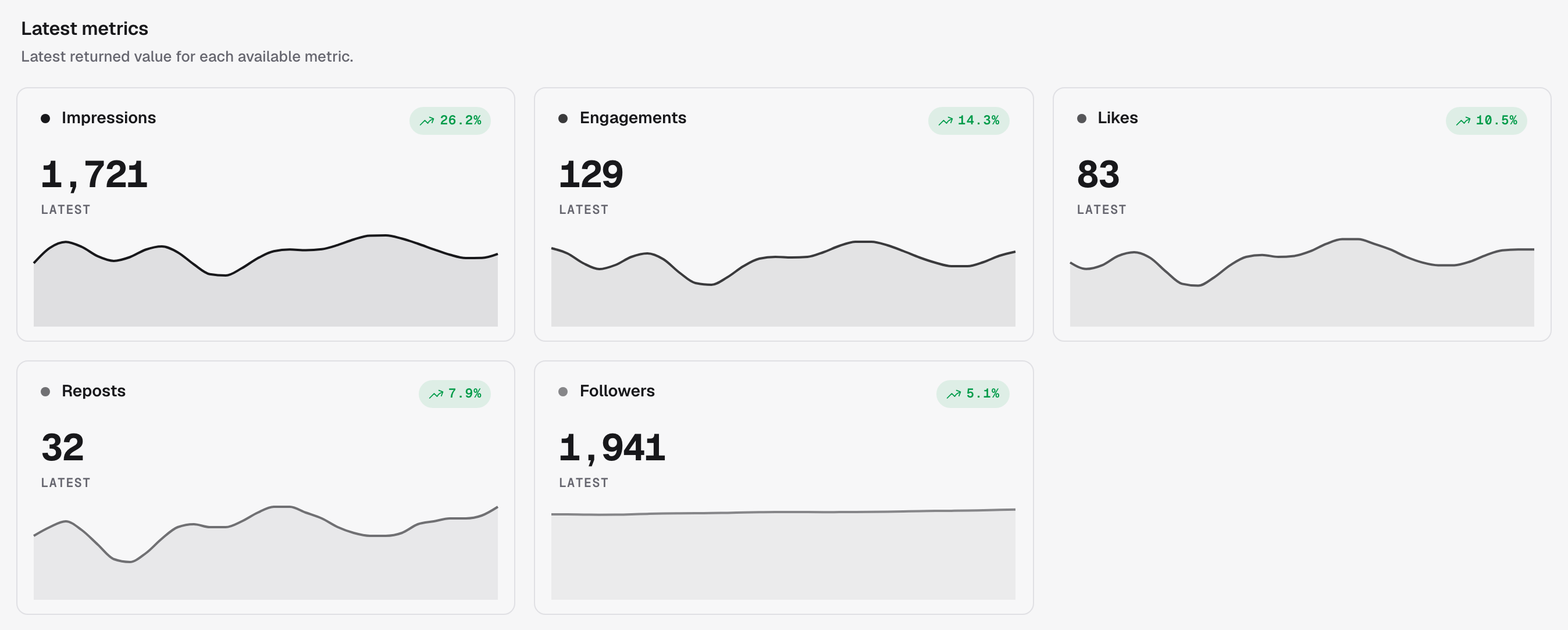
Latest metrics
The freshest value for each metric the platform reports — impressions, engagements, likes, reposts, followers — each with its trend.
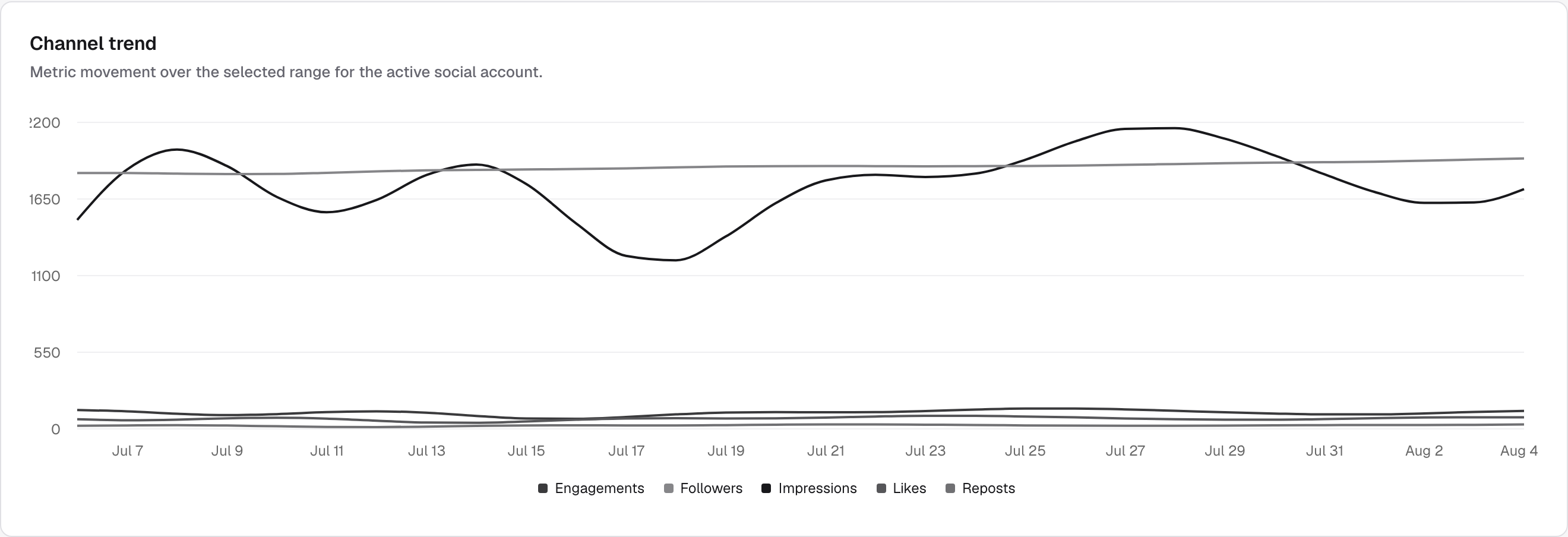
Channel trend
All metrics on one timeline, so you can see movement over the selected range.
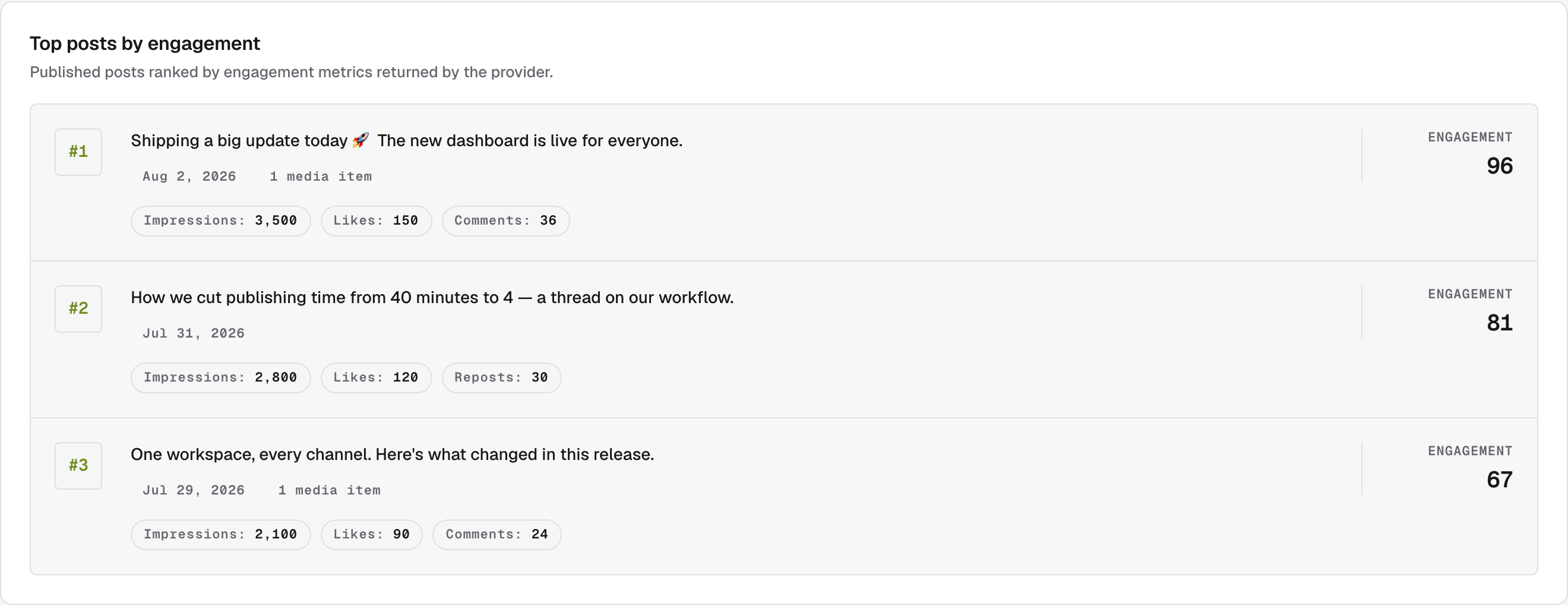
Top posts by engagement
Published posts ranked by the engagement metrics the platform returned — each with its impressions, likes, and comments or reposts.
Post-level analytics
To inspect one specific post, open a published post from the calendar — its post-level metrics load in the same Analytics view as Selected post performance.
Availability depends on the platform
Each platform decides which metrics it returns, and some don't offer account or post analytics at all. Metrics appear as soon as the provider reports them.