
The calendar
Views, filters, post states, and rescheduling — everything on the board.
The calendar is where all your posts live. One toolbar controls how you see them; drag and drop moves them.
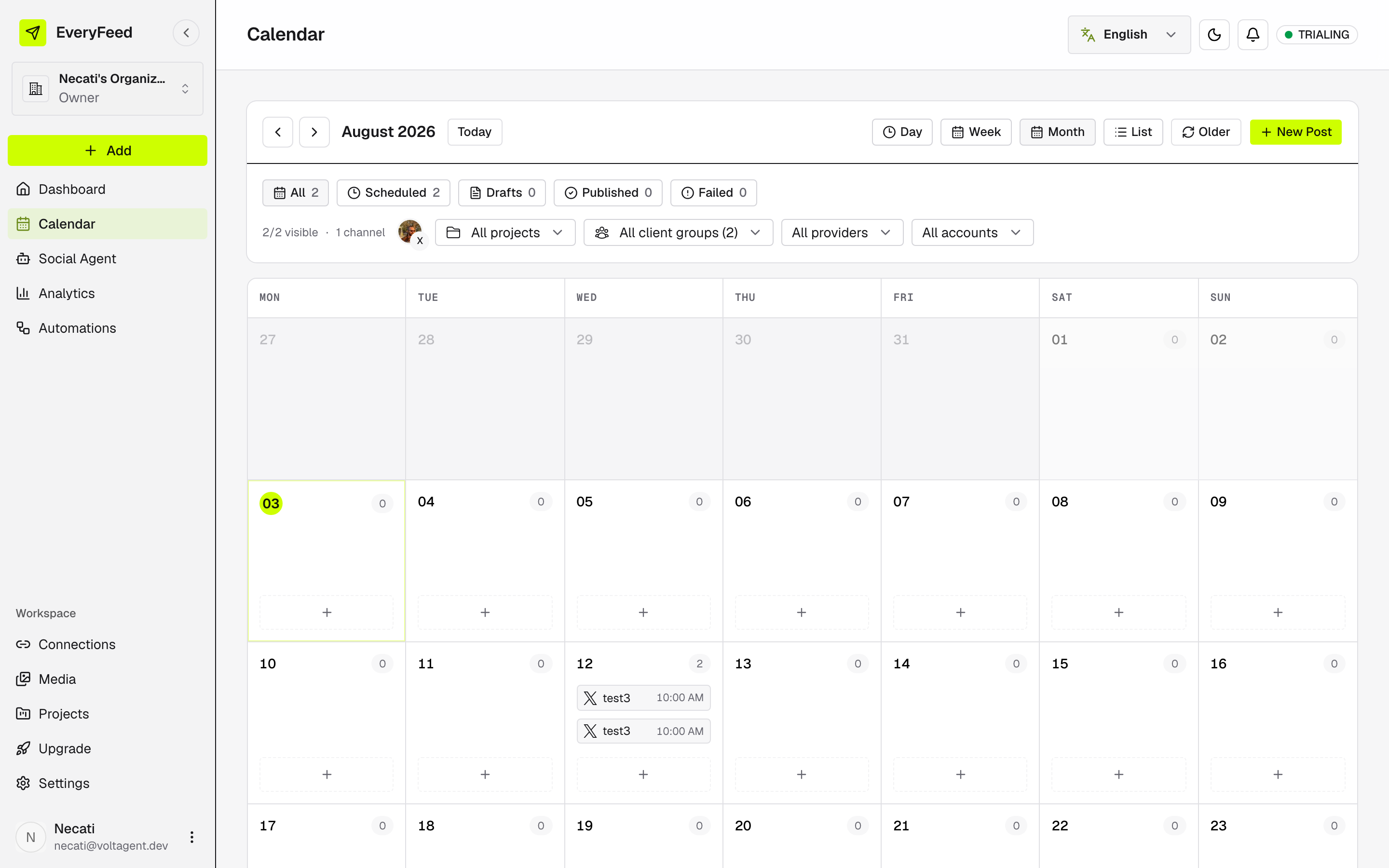
Views
| View | Best for |
|---|---|
| Day | A single day, slot by slot. |
| Week | The week ahead at a glance. |
| Month | The big picture and planning further out. |
| List | A straight chronological list. |
When a day holds more posts than fit, +N more reveals the rest. Older loads posts from before the current range.
Post states
The chips above the board both count and filter posts by state:
| State | Meaning |
|---|---|
| Drafts | Saved, no publish time yet. |
| Scheduled | Queued to publish at a set time. |
| Published | Sent successfully. |
| Failed | Something went wrong — open the post to see details. |
Filters
Next to the state chips, dropdowns narrow the board further: All projects, All client groups, All providers, and All accounts. When any filter is active, Clear resets them all at once. List view pairs well with filters for scanning a set top to bottom.
Reschedule by dragging
Grab a draft or scheduled post and drop it on another day — it picks up the new time when you release. Two limits: published posts are locked (they already went out), and you can't drop onto the past.
For fine-tuning the exact minute, open the post and change its date in the composer instead.