
RSS and Atom automations
Turn new feed entries into drafts or scheduled social posts.
Content feeds watch an RSS or Atom source and create one post per selected channel whenever a new entry appears — as a reviewable draft, or scheduled into the next open slot.
Add a feed
Open Automations → Content feeds → Add feed.
Name the automation, paste the RSS or Atom URL (HTTPS only), and click Preview to see the latest entry before committing.
Pick Targets — one feed entry creates one post for every selected channel — and a Check frequency.
Choose the Output: Create as a Draft for review (recommended at first) or schedule into the Next available slot.
Shape the post: Post copy from Write with AI or Use feed title; Post image from Use feed image, Generate with AI, or No image. Optional Writing guidance steers the tone — the source item stays the only factual input. Append source link adds the article URL after the copy.
Keep Start with the next new item on when connecting an existing feed — it marks the current entry as seen instead of posting something old. Then switch the automation On.
Keep an eye on it
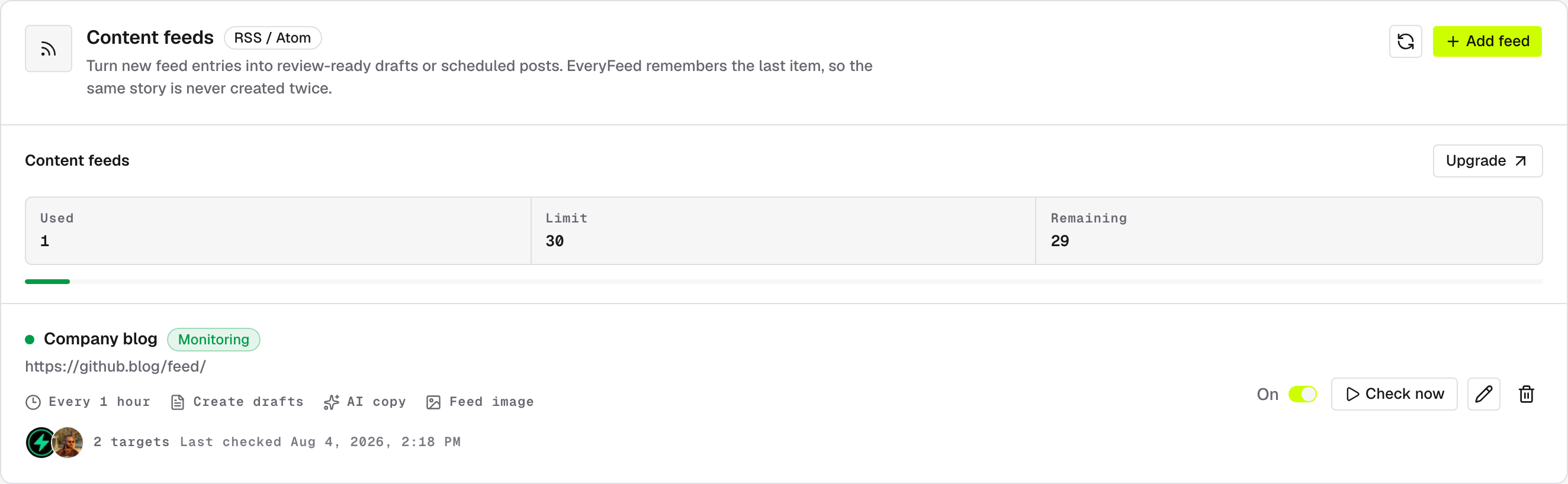
Each feed row shows its check interval ("Every 30 minutes"), targets, output mode, Last checked time, and the most recent error if any. Check now queues an immediate run. Every entry is processed exactly once — retries and overlapping checks can't create duplicate posts.
Paused means paused honestly
If background monitoring can't start when you enable a feed, the automation stays paused and shows the exact error — it never pretends to be active.