
Use EveryFeed with Cursor
Give Cursor the EveryFeed skill and CLI, or connect it over MCP.
Cursor runs the EveryFeed CLI through the skill — install once, then just tell it what you want in natural language. (Not sure which connection fits your setup? See which connection do I need.)
Connect Cursor
In EveryFeed, open Settings → Developers → Access and find the CLI & AI Skills card. Pick Cursor — it shows the same three steps as below.
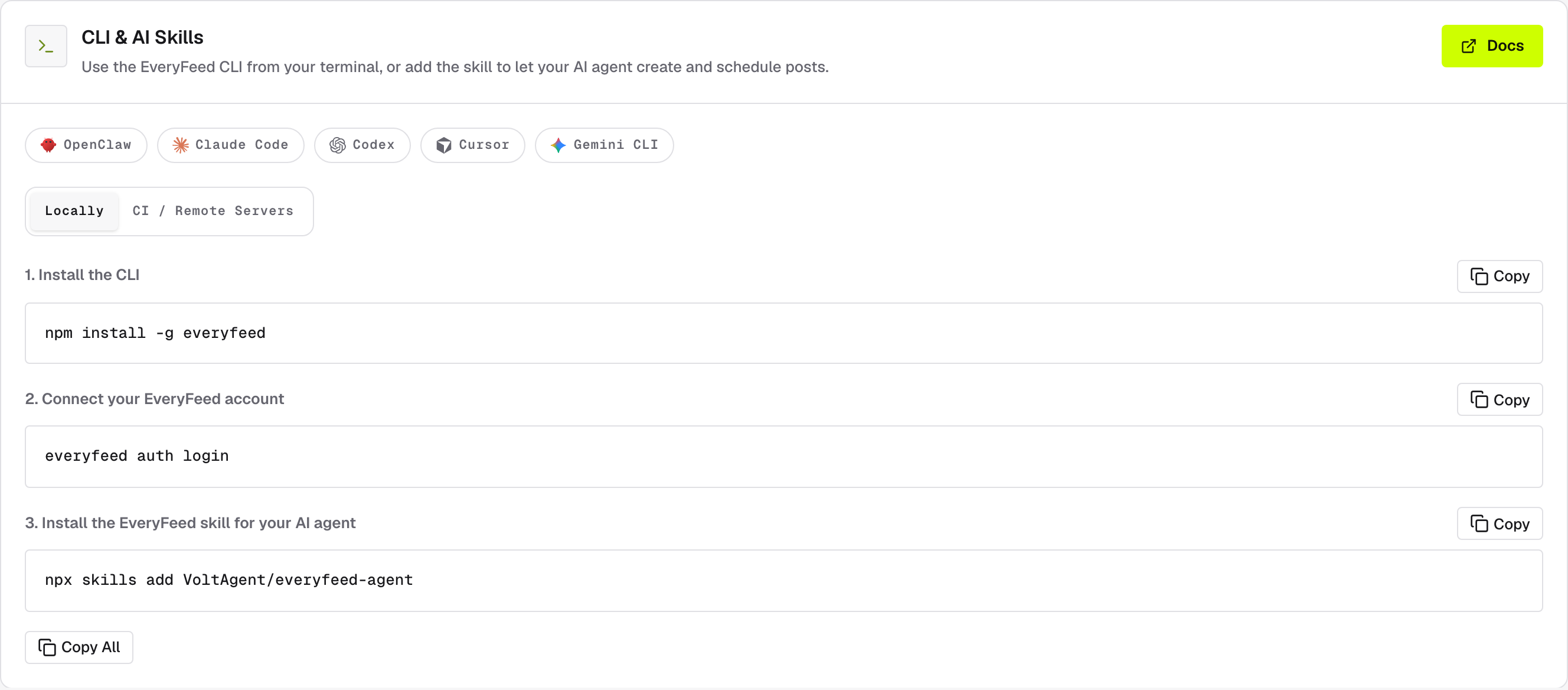
Install the CLI — the tool that talks to EveryFeed from your terminal:
npm install -g everyfeedConnect your EveryFeed account — this opens EveryFeed in your browser; sign in, choose the organization, and approve the device shown in your terminal:
everyfeed auth loginInstall the EveryFeed skill for Cursor — a separate piece: the playbook that teaches Cursor when and how to use that CLI:
npx skills add VoltAgent/everyfeed-agentAsk Cursor to list your EveryFeed channels. If it can't, check that the skill
is installed and everyfeed auth status reports your account.
Alternative: connect over MCP
A separate option, not part of the flow above — use it if you'd rather not
install the CLI. Under MCP Client Configuration, switch to
API Key (Manual) and pick Cursor — the page generates this block with
your workspace key filled in. Save it as .cursor/mcp.json:
{
  "mcpServers": {
    "everyfeed": {
      "headers": { "Authorization": "Bearer YOUR_EVERYFEED_TOKEN" },
      "url": "https://api.everyfeed.ai/mcp"
    }
  }
}
Can't send an Authorization header at all (some CI systems and hosted
runners)? The CI / Remote Servers block of the same card offers a
key-in-URL endpoint (…/mcp/<key>) — the key is part of the URL, so treat
the whole URL as a secret.
Running in CI or on a remote server
No browser on the machine? The CI / Remote Servers tab of the CLI & AI Skills card
shows the same three steps with one swap: instead of everyfeed auth login,
authenticate with your workspace API key as an environment variable:
export EVERYFEED_API_TOKEN="YOUR_EVERYFEED_TOKEN"What to ask
List my connected channels in EveryFeed.Prepare a LinkedIn launch post in EveryFeed. Do not publish it yet.Adapt this copy for LinkedIn and X, then validate both drafts: [paste copy]Schedule the approved post for tomorrow at 10:00 in Europe/Istanbul.Find the next available slot and schedule the approved post there.For a client-specific request, include the client group name. For scheduling, include an exact date, time, and time zone whenever possible.
Review and approval
The skill validates drafts before anything is created, and post creation asks for explicit confirmation — nothing publishes until you approve it.
Keep access tokens out of chat
Store the credential only in the CLI profile or the MCP configuration — never paste it into a Cursor conversation. If the key appears in a screenshot, message, log, or public file, rotate it in Settings → Developers → Access.